ICST Composition Studio Pre-Installation
Pre-installation for your laptop
Level: Beginner | Audience: Composer, student, researcher, studio visitor.
AUDIO
Install RME Driver (DriverKit)
Download MadiFace USB and follow the installer’s instructions. Product Page
System Compatibility: macOS / Windows
USB Series Kernel Extension: macOS 11+
Manual: Download PDF
Login Items & Extensions for DriverKit
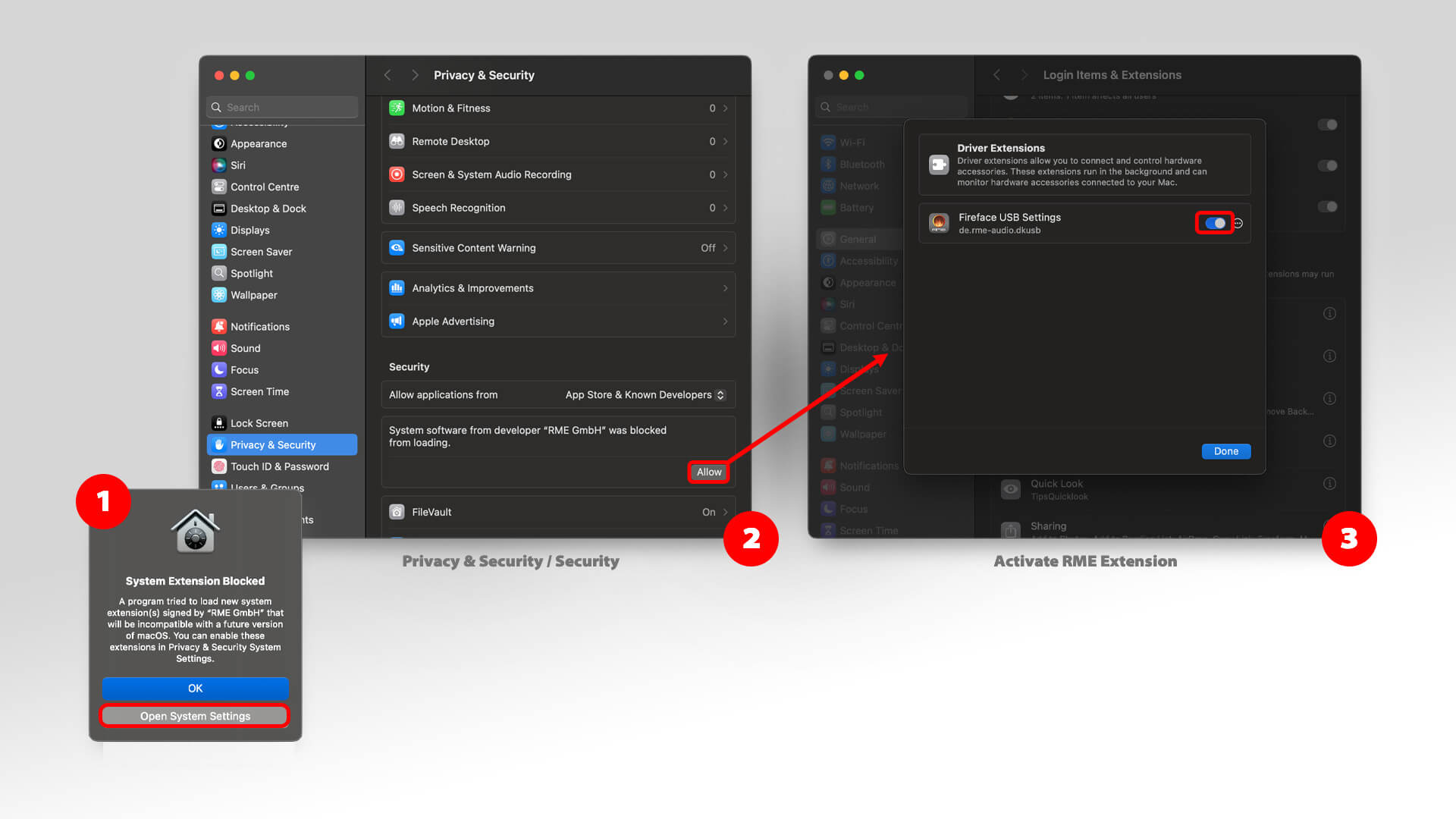
Troubleshooting
Watch the Video starting at 2:36 for assistance.
RME MadiFace sync
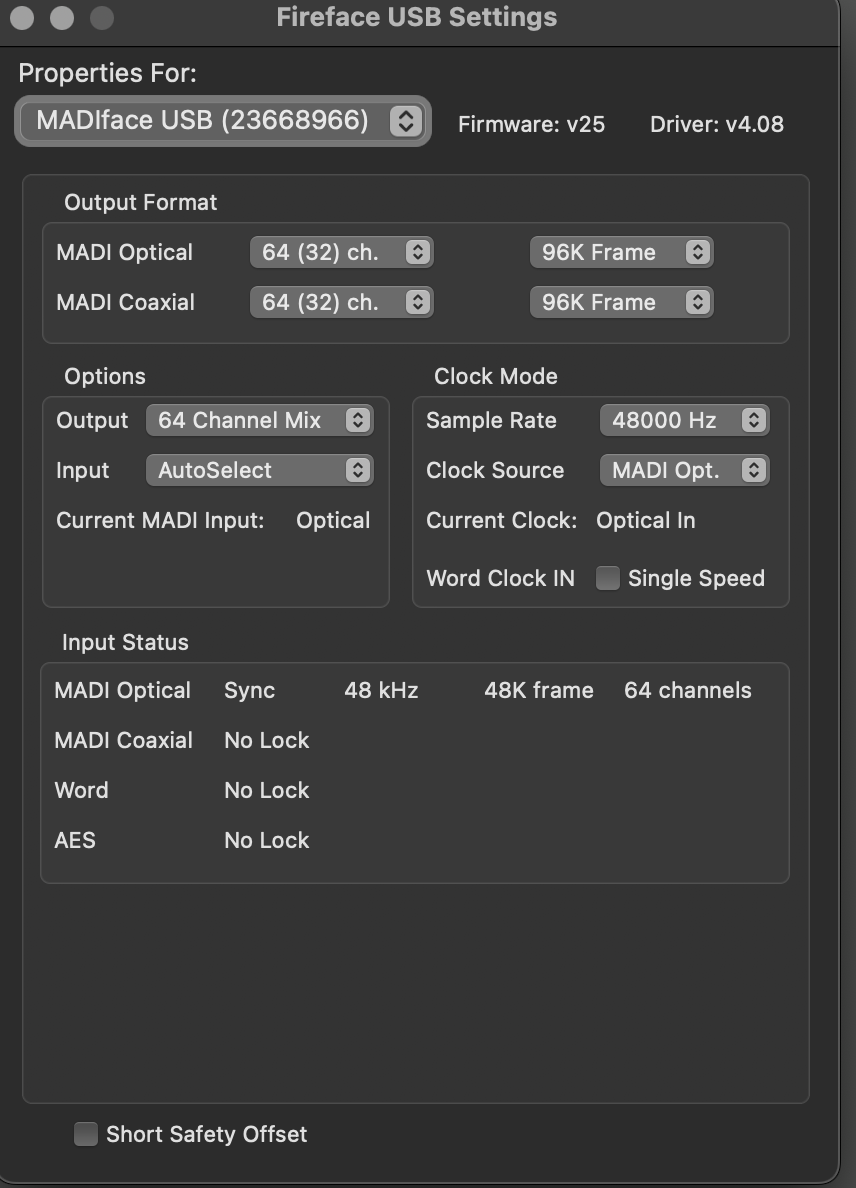
As shown above, synchronization is correct.
RME TotalMix setup for multichannel
For Ambisonics, delete the
stereo-mix.
Video / Screen
Install DisplayLink Manager
Download and install DisplayLink Manager for macOS for your system.
Tip:
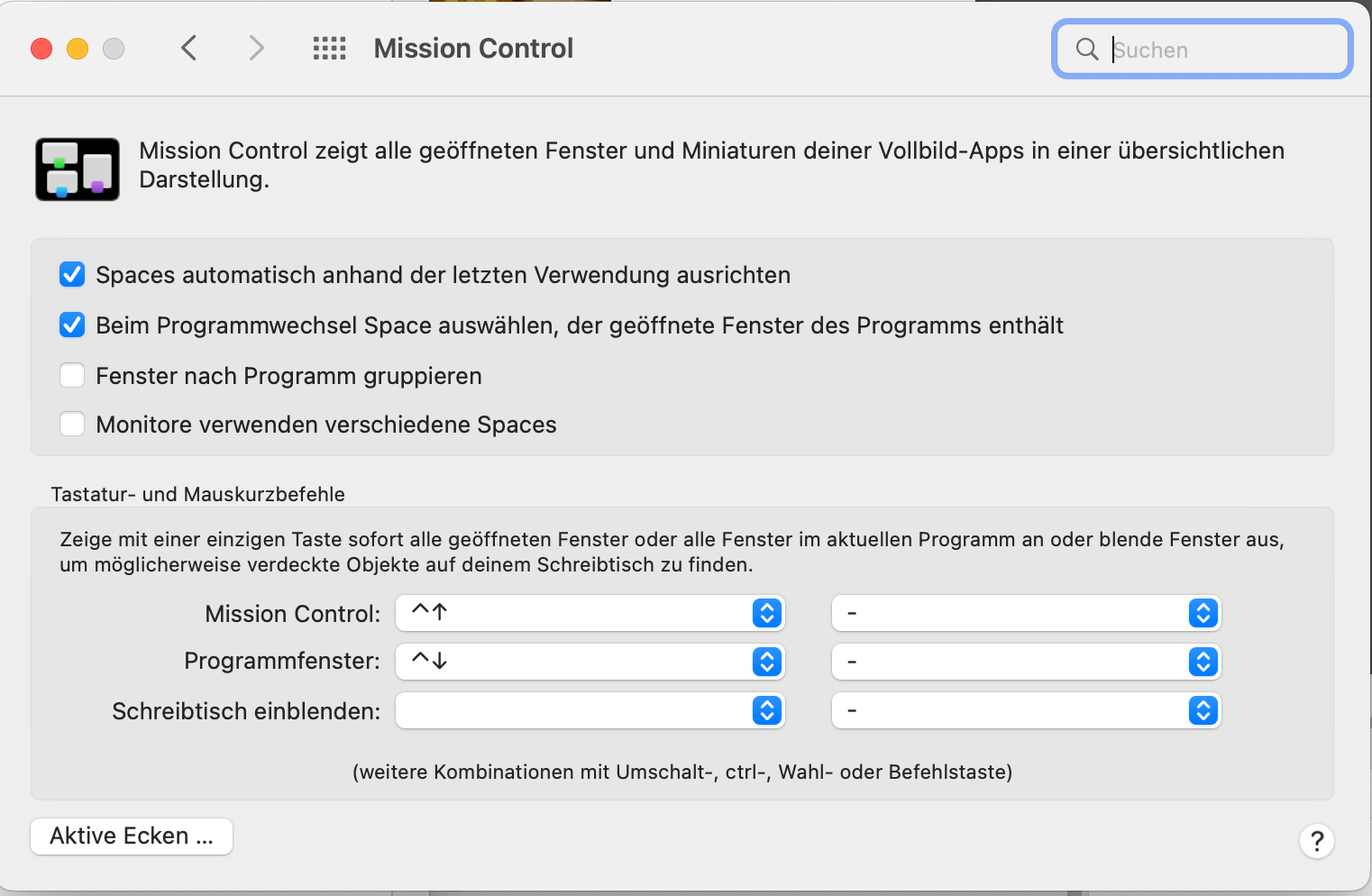
To get the curved screen as a single large screen, you need to make an additional setting on your Mac.
- system preferences -> mission control
- deactivate the flag ‘monitors use different spaces.’
- This setting will only become active after a new login!
Support & Contact
Help:
- Johannes Schütt Mobile: +41 79 786 12 49 Mail: johannes.schuett@zhdk.ch
Technical Service A/V:
- simon.koenz@zhdk.ch Mobile: +41 76 330 11 02
Downloads
→ All downloads are centralized on the Downloads page.