Overview
Level: Beginner | Audience: Composer, technician, student, studio user.
Use this page when you want a fast orientation before diving into setup, routing, or plugin-specific details.
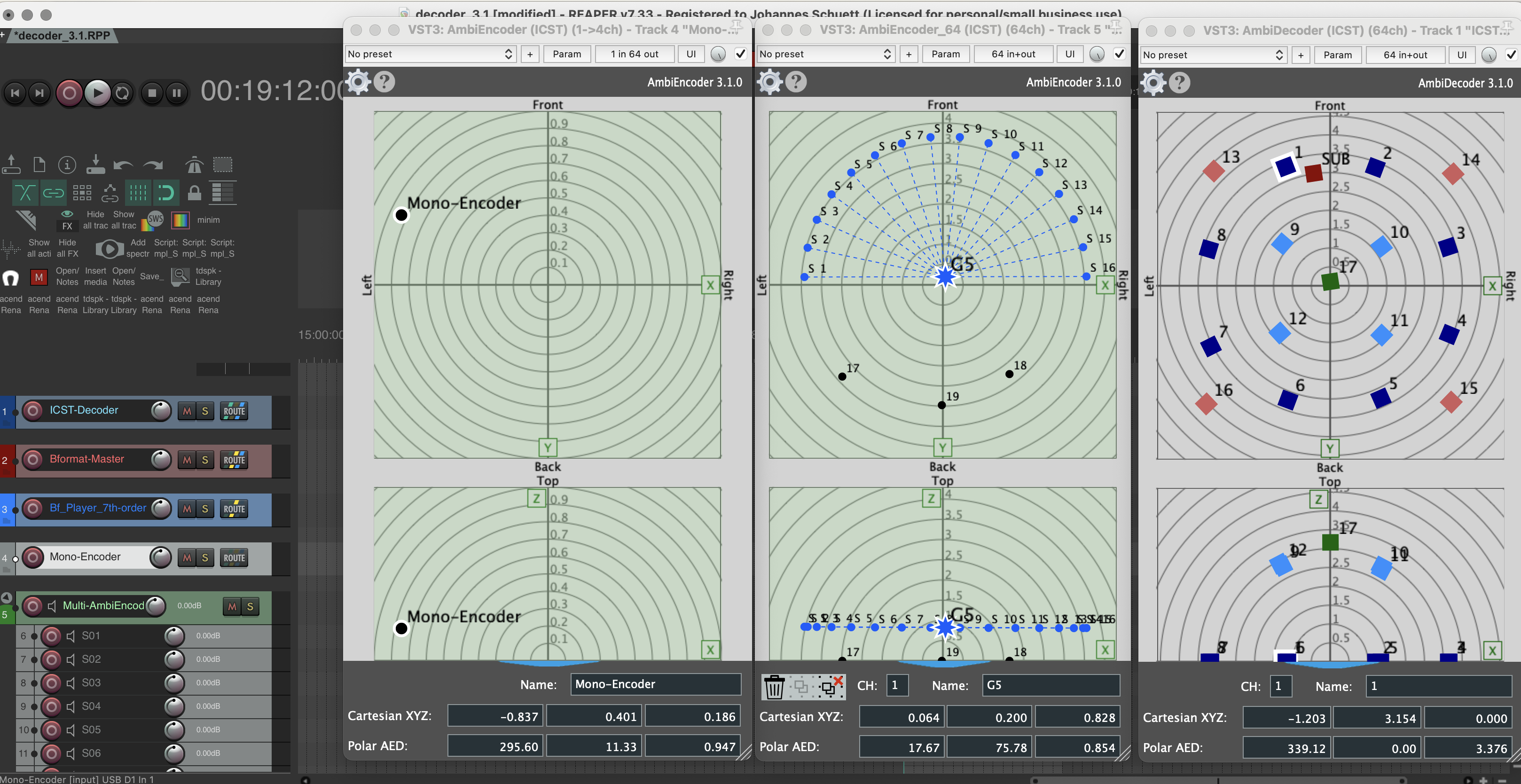
The ICST Ambisonics Plugins form a REAPER-based production environment for Higher-Order Ambisonics: source positioning, B-format encoding, loudspeaker decoding, template-based session building, and OSC-based control.
Start here
Choose the fastest entry point for what you want to do next:
- First working session: Quick Start
- Clean installation: Installation
- Build the routing from scratch: Step by Step Setup
- Render the B-format master correctly: Render B-Format in REAPER
Core plugin chain
The standard production chain is:
Source -> Encoder -> Bformat Master -> Decoder -> Speakers
Optional monitoring branch:
Bformat Master -> Binaural Decoder -> Headphones
The key logic is simple:
- Encoders place or move sources in the Ambisonics field.
- The Bformat Master collects the encoded HOA signal.
- The Decoder turns the B-format field into loudspeaker playback.
- A separate binaural decoder is used for headphone monitoring.
- Final exports should be rendered from the Bformat Master, not from the decoder output.
What the suite includes
The ICST Ambisonics Plugins are available in these formats:
VST3AU (Component)LV2
LV2 is currently experimental and should not be treated as the primary production path.
The main modules are:
- ICST Encoders for source positioning and movement
- ICST Decoder for loudspeaker playback
- ICST MultiDecoder for layered or segmented loudspeaker arrays
- Track templates and project templates for faster setup
- OSC support for external control workflows
Choose your path
If your goal is mainly practical, follow one of these paths:
- I want sound quickly: Quick Start -> Step by Step Setup -> Render B-Format
- I want to understand the signal flow: How it Works -> Decoder -> Best Practices
- I want movement and external control: Encoders -> OSC -> Best Practices
Downloads and references
- Plugin releases: https://github.com/schweizerweb/icst-ambisonics-plugins/releases
- Project documentation wiki: https://github.com/schweizerweb/icst-ambisonics-plugins/wiki
- Tutorials and site hub: https://ambisonics.ch/
- YouTube channel: https://www.youtube.com/@ICSTAmbisonics
Development
Developer team:
- Christian Schweizer
- Johannes Schuett
- Martin Neukom
Additional production support:
- Video editing: Axel Kolb