How it Works
Level: Beginner | Audience: Composer, technician, student, studio user.
Use this page when you want to understand the basic logic of the ICST Ambisonics workflow before building or modifying a session.
The signal chain in one minute
The standard production chain is:
Source -> Encoder -> Bformat Master -> Decoder -> Speakers
Optional monitoring branch:
Bformat Master -> Binaural Decoder -> Headphones
The most important rule is this:
- the encoder creates the HOA / B-format field
- the Bformat Master is the central collection and render point
- the decoder is for monitoring over loudspeakers
- headphone monitoring should use a separate binaural decoder
- final export should come from the Bformat Master, not from the decoder output
A helpful way to think about Ambisonics is this: the system does not primarily store speakers or objects, but a sound field representation. The decoder does not “create space” afterwards. It projects an already encoded spatial field onto a concrete loudspeaker setup.
What each part does
- Source
A mono or multichannel sound source that you want to place in space. - Encoder
Positions or moves the source inside the Ambisonics field. - Bformat Master
Receives the encoded HOA signal and acts as the main recording and rendering point. - Decoder
Translates the B-format field into loudspeaker signals for the actual room. - Binaural decoder
Converts the same HOA signal into headphone monitoring without changing the loudspeaker decoder setup.
Required vs optional
Required for a basic loudspeaker setup:
- source track
- encoder
- Bformat Master
- decoder
Optional but often useful:
- binaural monitoring path
- B-format player track
- track templates or project templates
- OSC control
- MultiDecoder for layered or segmented arrays
Typical REAPER structure
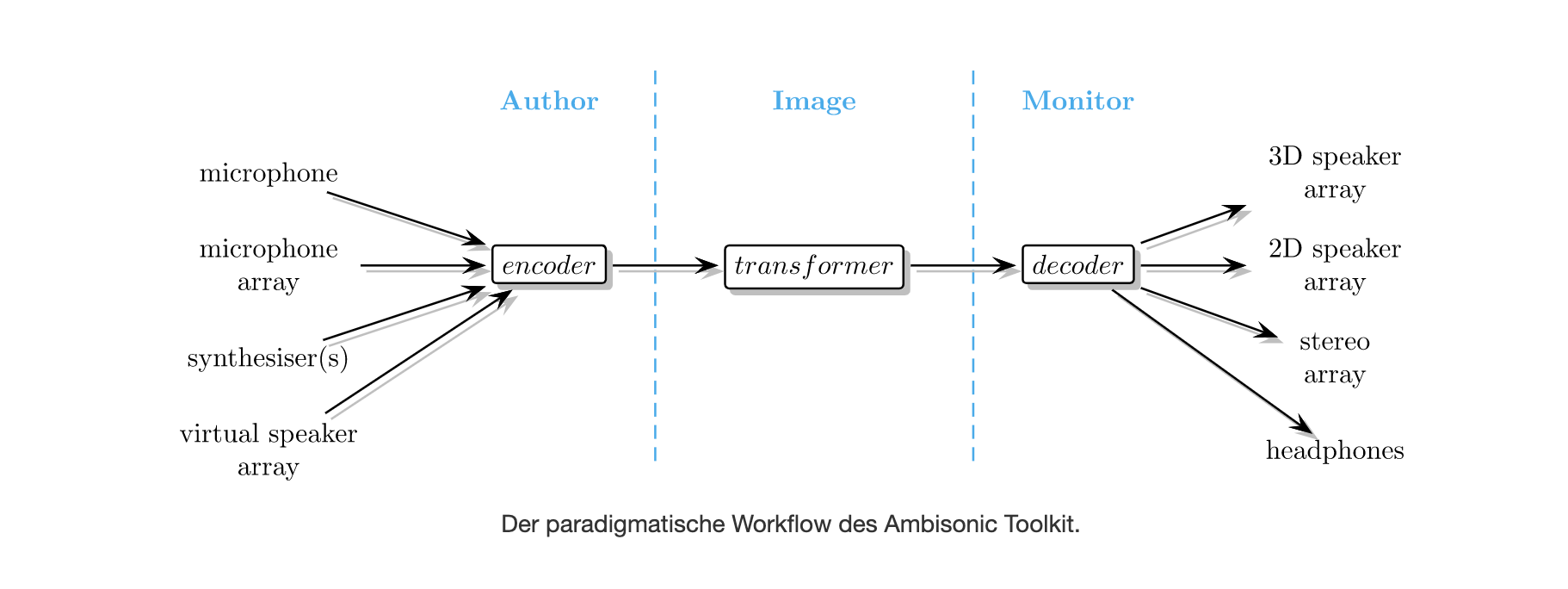
The following image shows a typical Ambisonics workflow:
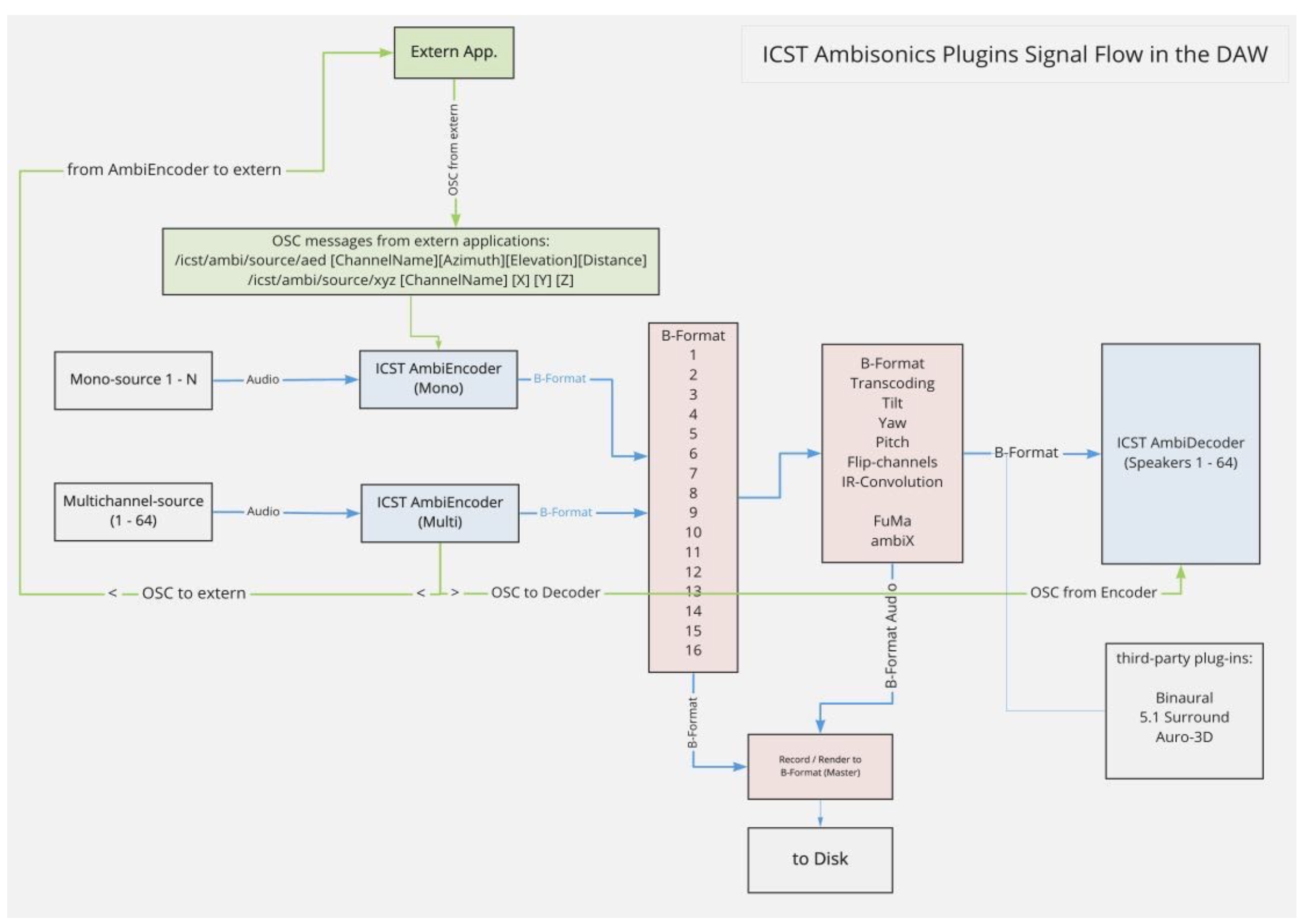
The next image shows the ICST plugin signal flow:
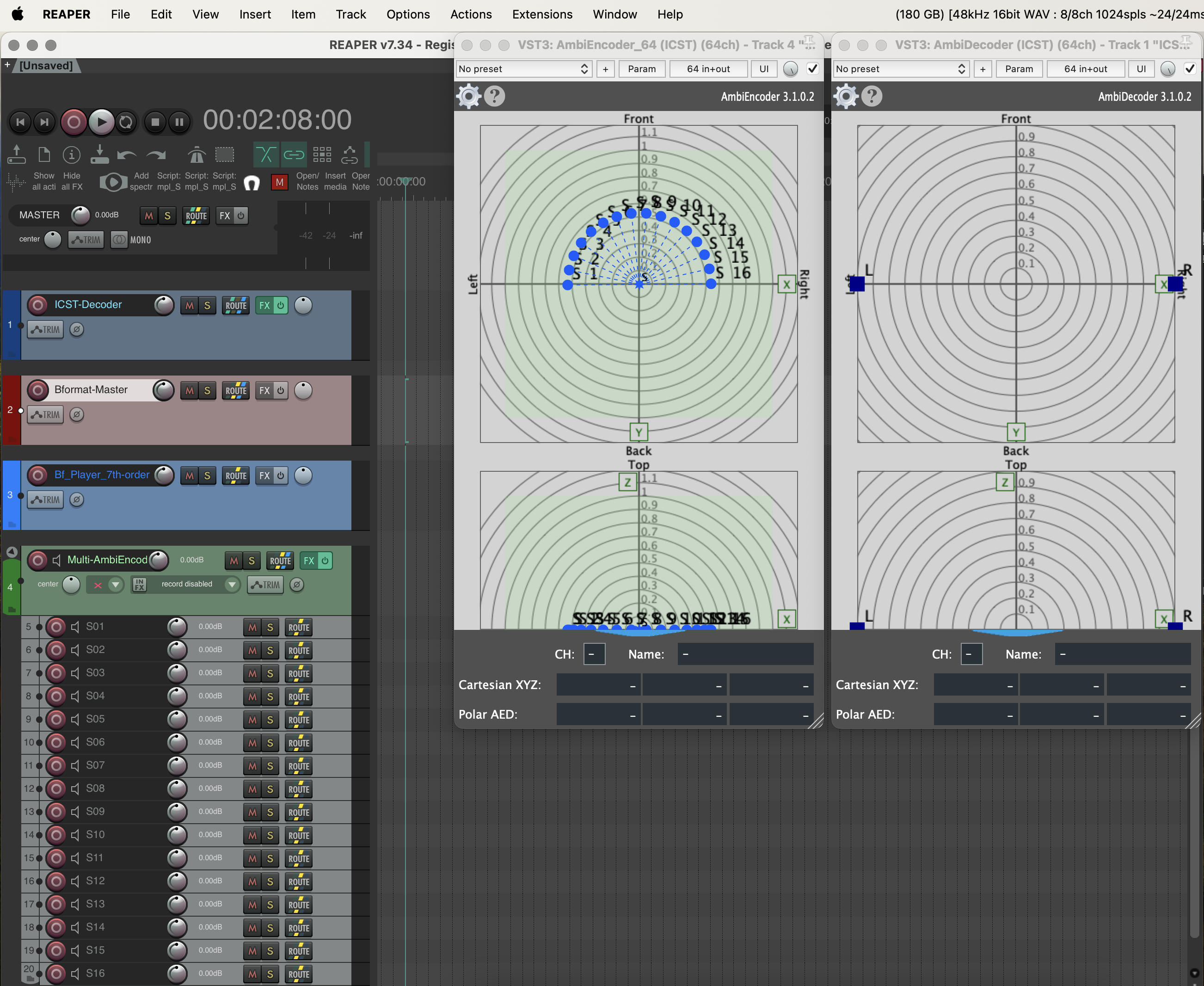
In REAPER, the signal flow often appears like this:

Typical track roles:
- Decoder
- Bformat Master
- B-format (ambiX) Player
- MultiEncoder with mono child tracks
Which encoder should you use?
Use MonoEncoder when:
- you want to position or automate one source at a time
- you are learning the workflow
- you want the clearest routing per source
Use MultiEncoder when:
- you want to manage several sources in one interface
- you need grouped motion or choreographic movement
- you want a template-based setup with multiple source tracks already prepared
Common misunderstandings
- The decoder is not the render target.
It is mainly the loudspeaker-monitoring stage. - The Bformat Master is not just another bus.
It is the central HOA signal that should stay stable and clearly named. - Binaural monitoring is not the same as the loudspeaker decoder.
Treat it as a separate listening branch. - Higher order is not automatically better.
The HOA order should match the real loudspeaker density and the production goal.