Overview
What's New
Quick Start: ICST Ambisonics Plugins in REAPER
Installation
Track Templates
Step by Step Setup
How it Works
ICST Encoders
ICST Animator
Motion Mapping
Setup & Workflow
ICST Kristall Motion Map — User Guide
ICST Decoder
ICST MultiDecoder
Render B-Format in REAPER
OSC
User Guide: 64 Sources mit open-stage-control und ICST AmbiEncoder_64
Best Practices
Shortcuts
Downloads
Quick Start: ICST Ambisonics Plugins in REAPER
Open the prepared MultiEncoder template, check the basic routing, and start your first verified Ambisonics session in REAPER.
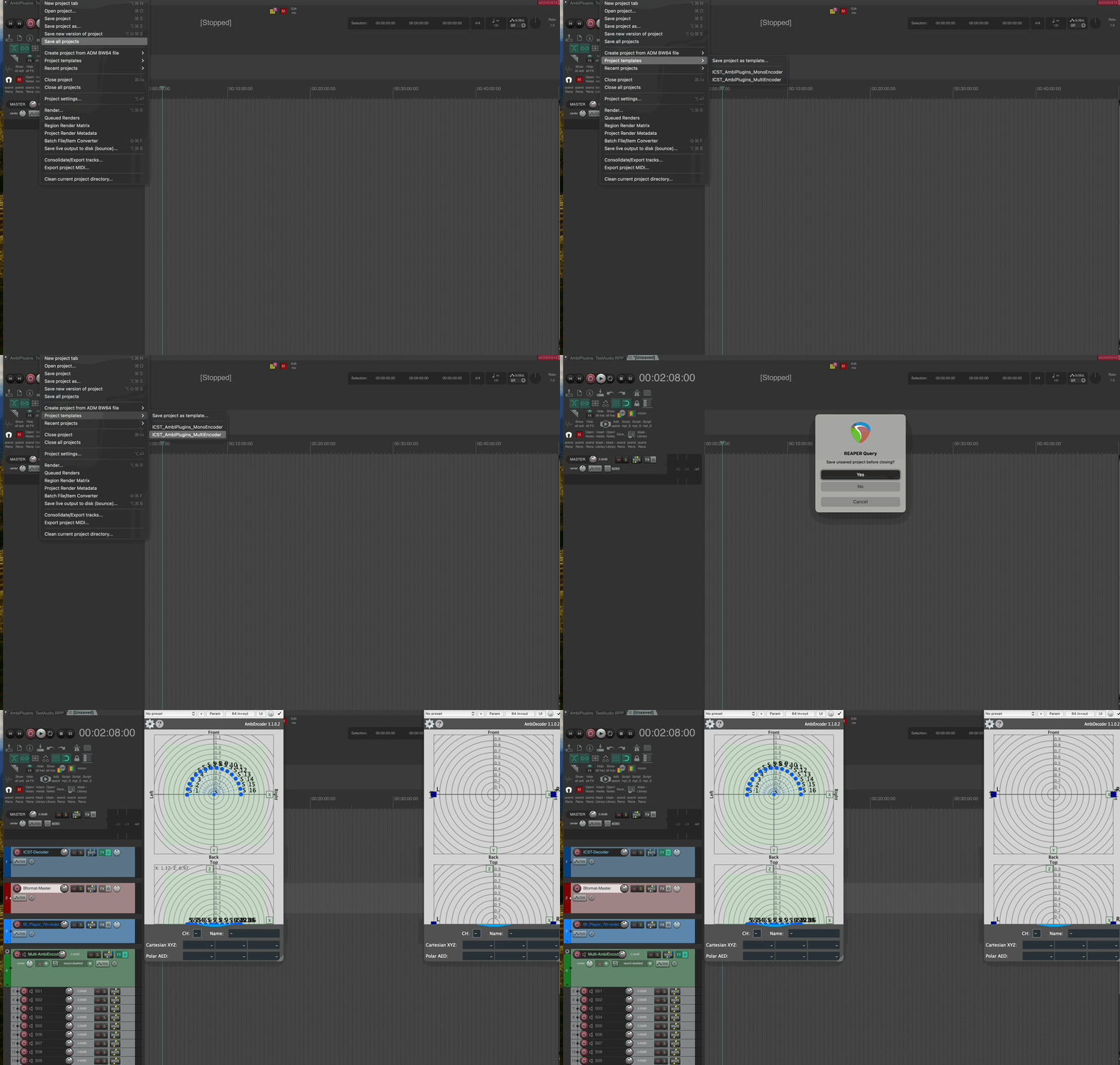
Quick Start with ICST_AmbiPlugins_MultiEncoder.RPP
- Open REAPER Start with an empty project or your current session.
- Load the MultiEncoder template
Choose
ICST_AmbiPlugins_MultiEncoder.RPPfrom the REAPER menu. - Save a working copy Save the project under a new name before you begin editing.
🔥
Tip
Ready in 30 seconds:
- The Bformat Master track is present.
- The Decoder track is loaded.
- You see signal activity in routing/metering when playing audio.
If all three are true, the template is initialized correctly.