ICST Encoders
Level: Intermediate | Audience: Composer, technician, student, interactive-media user.
Use this page when you want to place, move, group, or automate sources inside the Ambisonics field.
When to use which encoder
Use MonoEncoder when:
- you want to position one source at a time
- you are learning the workflow
- you want the clearest per-source routing
Use MultiEncoder when:
- you want to control many sources in one interface
- you need source grouping
- you want to record or edit larger movement structures
- you want OSC-based interaction with multiple sources
What the encoders do
The ICST Encoders position and move sound sources inside the Ambisonics B-format field.
- MonoEncoder handles one mono source.
- MultiEncoder handles up to 64 sources on one track and organizes them into up to 8 groups.
A distinctive feature is the built-in distance simulation, which combines lowpass filtering and a Doppler-style effect to shape depth perception.
OSC input and output make the encoders usable in controller-based and algorithmic workflows.
Overview
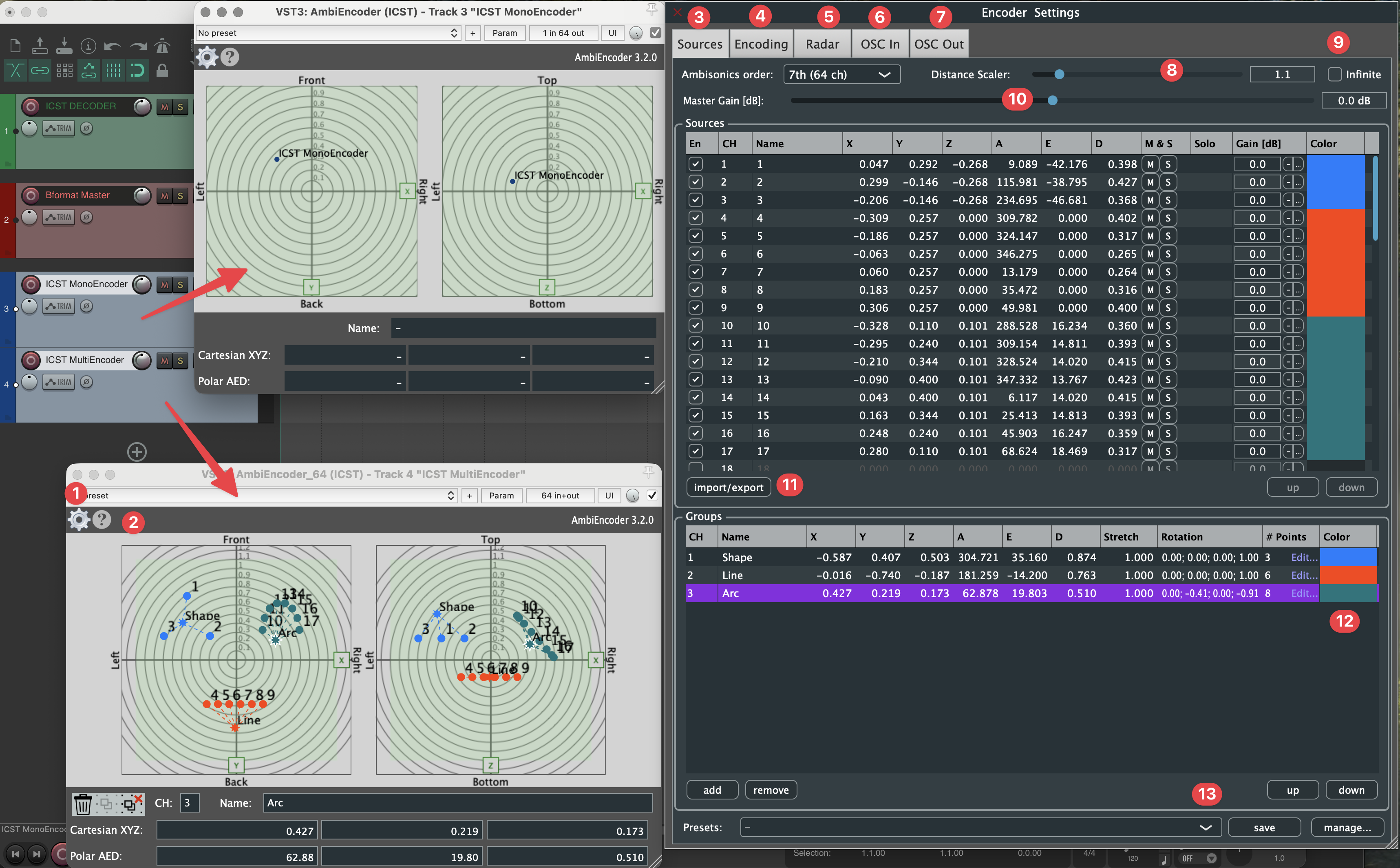
| Label | Description |
|---|---|
| A | MonoEncoder for one source |
| B | MultiEncoder for up to 64 sources per track |
Video: ICST Ambisonics Plugins – 02 – AmbiEncoder
User interface
Main controls
- Settings
- Help
Source window
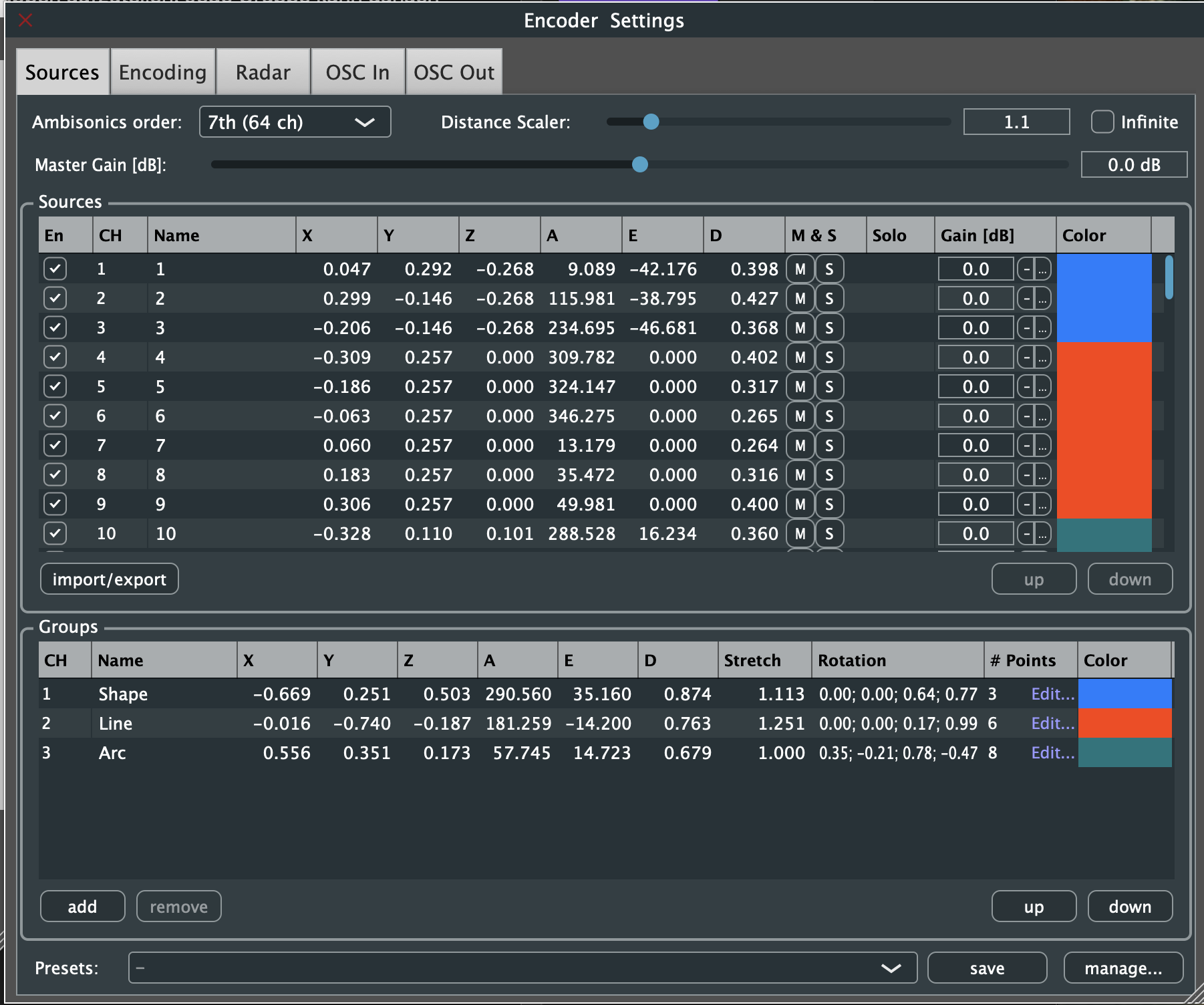
This area shows and controls individual sources by azimuth, elevation, and distance.
Encoding settings
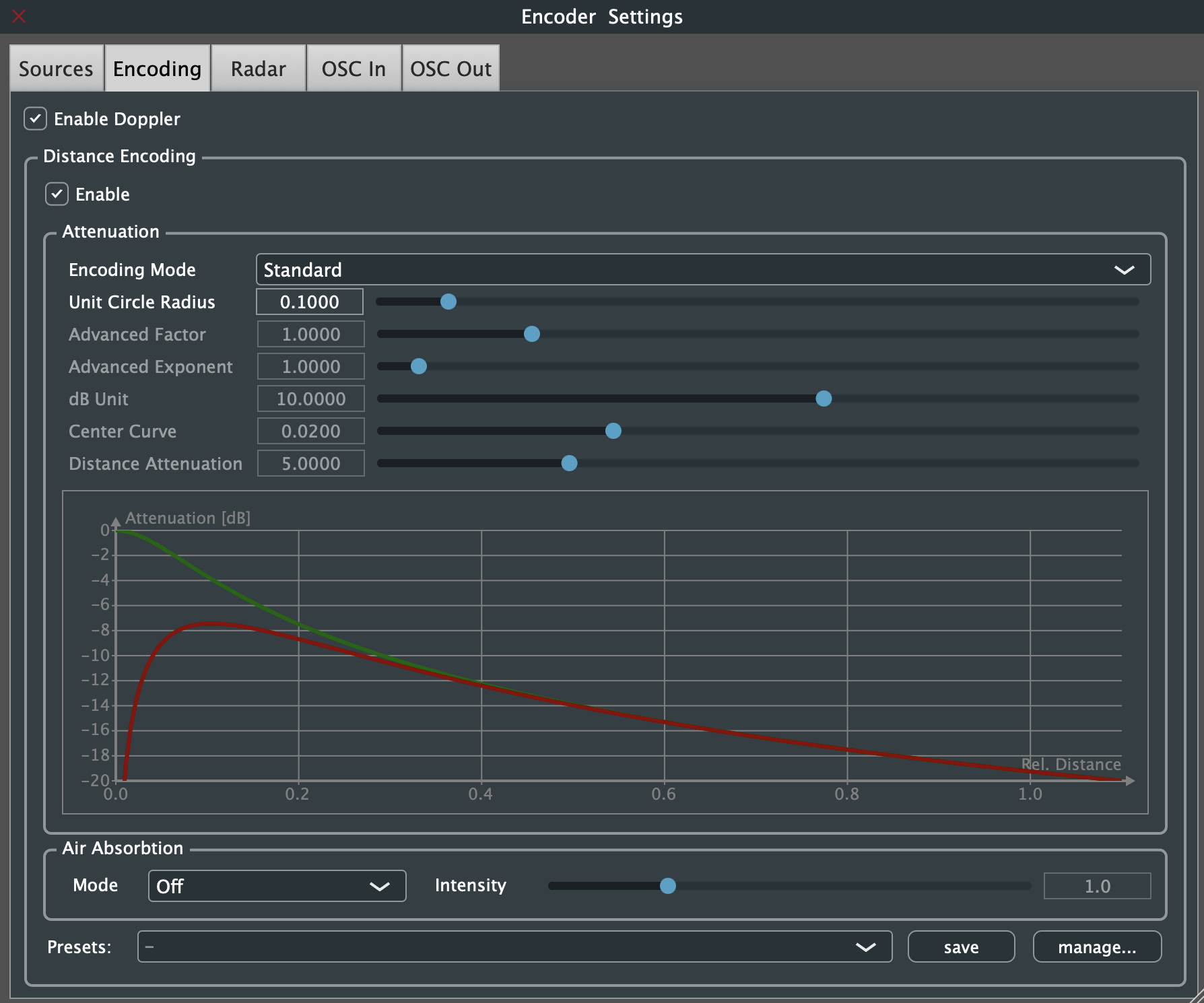
This section sets core encoding parameters such as order and channel format.
Radar
The radar gives a top-down view of the field and makes source positions and groups directly editable.
Grouping and movement
MultiEncoder is especially useful when spatial movement is not just individual, but structural:
- several sources can be grouped
- groups can be moved relative to a group center
- larger spatial choreographies can be recorded and refined
Use grouping when the scene should behave as a coherent object rather than as unrelated single sources.
OSC integration
- OSC input and JavaScript receive external control messages
- OSC output sends encoder state to controllers or external applications
Video: ICST Ambisonics Plugins – 03 – OSC Part 1
For setup and syntax:
Additional controls
- Distance Scaler
Simulates depth via lowpass filtering and Doppler-like behavior. - Infiniti
Places sources at the far field boundary. - Gain / Volume
Adjusts encoder input or output gain. - Import & Export
Saves or restores source configurations. - Groups Editor
Manages source groups and relative repositioning. - Save & Load Presets
Stores complete encoder states for repeatable setups.
Common mistakes
- using MultiEncoder when a simple MonoEncoder track would be clearer
- changing distance scaling late in the project and breaking movement consistency
- forgetting that encoder routing must still end in a stable Bformat Master
- treating OSC as required when normal REAPER automation would be enough
- grouping sources without clear naming, which makes later editing harder